
What Actually Happens When I Build a Website with ChatGPT
By Sarah Lennon – 12 minute read
There are thousands of articles asking whether AI can build a website. Of course it can. I’ve tested it. The results were nothing I’d yet put Big Orange Planet’s name to. A far more useful question is this: What happens when an experienced website designer makes ChatGPT part of an entire website project, from the first client conversation through to launch?
Over the past year, that’s exactly how I’ve been working. Not by asking ChatGPT to build websites for me, but by making it part of almost every stage of my design process. It isn’t just an assistant. It’s a tool that helps me reach better decisions, faster. If you’ve already read “Can AI Build My Website? Yes. But That’s Still the Wrong Question”, you’ll know why we believe AI delivers its greatest value when it’s guided by experience rather than replacing it. Here’s exactly how I built the website for Net Zero Warriors Unite.
Understanding the Information
Net Zero Warriors Unite is a non-profit organisation bringing together people interested in reducing carbon emissions. Unlike many projects, the information already existed. The client, a retired scientist, had spent years researching the subject and condensed that work into a beautifully illustrated 20-page brochure. The designer also supplied every illustration file.
So the challenge wasn’t writing content. It was understanding a technical publication quickly, then deciding what belonged on a website and reorganising everything into a structure visitors could easily navigate. Before I designed anything, I needed to understand the subject. I’m not a scientist. This is where ChatGPT became invaluable. I simply uploaded the brochure and gave ChatGPT three very specific tasks:
- Summarise the subject.
- Identify the main themes and separate the core ideas from the supporting information.
- Suggest a logical website structure.
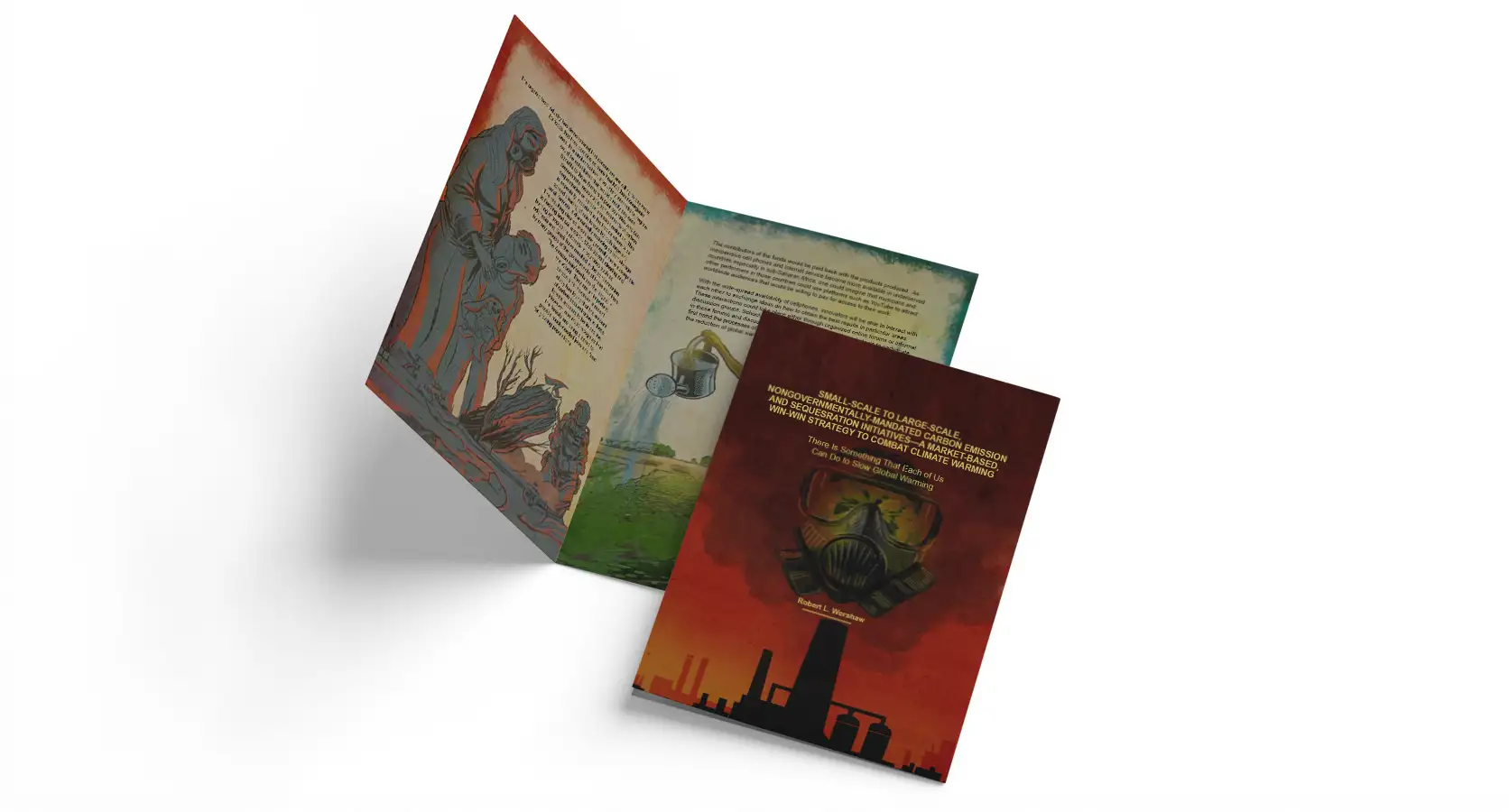
It’s obvious, but worth remembering: ChatGPT performs best when you tell it exactly what you expect in return. Clear instructions almost always produce better results than vague prompts. The brochure wasn’t something to copy. It became evidence. From that evidence, together with ChatGPT’s summaries and analysis, the website navigation emerged. Once the navigation made sense, every page had a clear purpose and the content naturally followed.
Before ChatGPT, this stage would have taken me hours. Instead, I had a solid first draft of the information architecture within minutes. That doesn’t mean I accepted every suggestion. We refined the content through an ongoing back-and-forth until it accurately reflected the organisation. The iterative process meant the quality of the content improved with every revision, producing a far stronger result than the first draft alone.
Writing for the Design
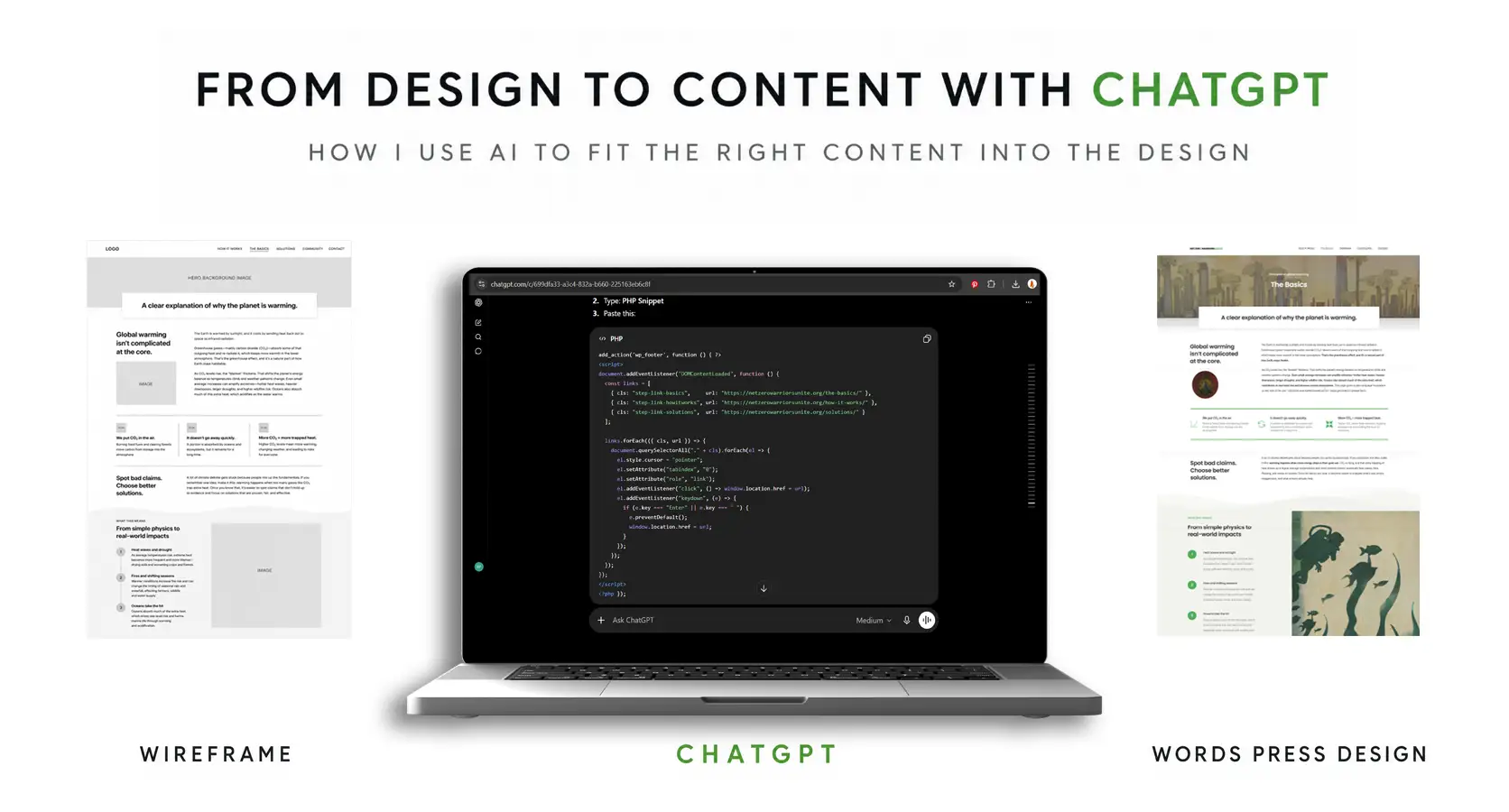
Once the website structure had been agreed, ChatGPT’s role changed completely. This is probably the part people misunderstand most. I wasn’t asking ChatGPT to simply write the website’s copy. I designed each page first—its layout, visual hierarchy, headings and the space available for the text. That’s the same philosophy behind our article “What Should Every Small Business Website Include?”: the design should support the message rather than forcing the content to fit afterwards.
As I built each page in Elementor, I’d take a screenshot and paste it into ChatGPT with one instruction: Fit the written content into this design. That meant ChatGPT rewriting the copy to preserve the logic, flow, search engine optimisation and key messages while making it fit naturally within the spaces I’d already designed.
The conversations became very practical. My instructions sounded more like this: “This hero section only has room for twelve words, shorten that sentence and give it back to me”, and “These three columns need to balance visually, make the text in each column exactly the same length but keep the logic.” Or “This explanation needs another paragraph. Review the content already on the page for context, expand this section naturally, and avoid repeating ideas or information that have already been covered.”
The content wasn’t being written as isolated pages. It was being written for the design while supporting the overall structure of the website. Changing one section often meant refining another because every page needed to flow naturally into the next. Clarity always came first. Once the message was clear, the important search terms and page topics naturally found their place in the copy rather than being forced in afterwards for SEO. That’s one reason visitors respond so differently to well-planned websites, something we explored further in “Why Visitors Leave Websites In Seconds”.
Before ChatGPT, this stage would often have taken me days and could be incredibly frustrating. Instead, it became a rapid back-and-forth conversation that refined the website’s content in just a few hours. That collaborative process consistently produced a stronger result while dramatically reducing the time involved. Perhaps surprisingly, it was also one of the most enjoyable parts of the entire project.
Creating the Images
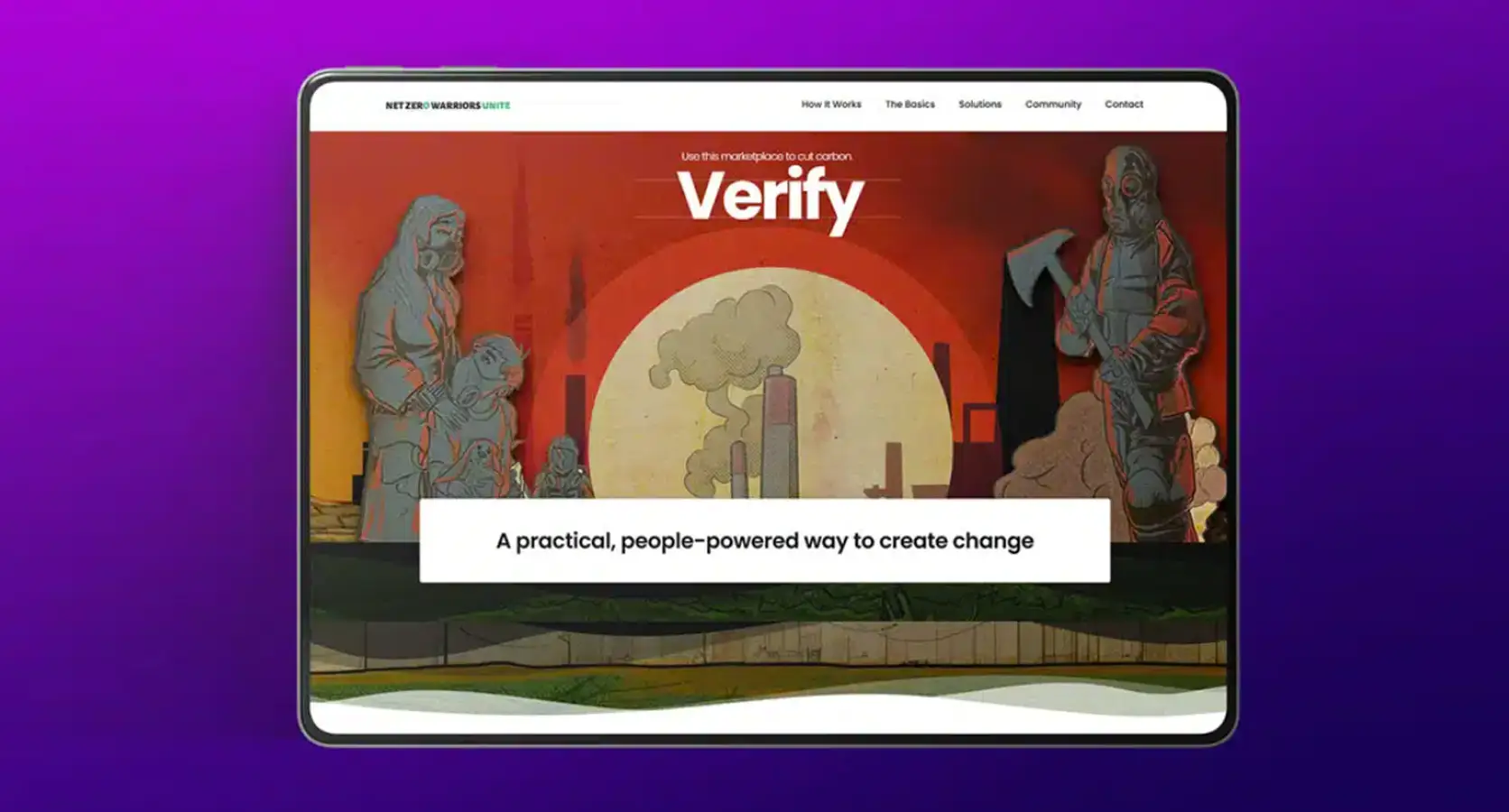
The illustrations supplied for the brochure were beautiful, but they weren’t designed for website layouts. Many were portrait illustrations that simply didn’t fit wide-screen designs. This is where another AI tool entered the workflow. Using Photoshop’s Generative Fill, I expanded each illustration beyond its original edges. Photoshop generated three possible versions, and I chose the strongest one.
The result looked as though the artwork had always been created for the web. Generative Fill wasn’t just used to extend the illustrations—it also helped separate the original single-layer artwork into layered assets for the homepage, allowing foreground and background elements to move independently and create subtle animation across the hero section.
Optimising each image for the web was another collaborative workflow. As I finalised and exported lightweight WebP files, ChatGPT generated descriptive filenames, alt text and image descriptions, so every image was ready for both website visitors and search engines before it was uploaded. Image optimisation is just one of the many small details that contribute to a better website, and it’s a topic we explore further in our articles on professional web design and search engine optimisation.
Removing Friction During Development
ChatGPT continued helping long after the content had been written because development introduces a completely different type of problem. When building WordPress websites I often begin with a professional theme before heavily customising it with CSS, animation and bespoke layouts. Every theme organises its settings differently. This is a great way to save clients a significant amount of development time and budget, starting with something that already fits the purpose before customising it. But it’s a bit like driving a different car. You know how to drive it, but every manufacturer seems determined to hide the gas cap release somewhere different.
As I built the site, I’d constantly run into small technical questions. “Where does the Litho theme hide this setting?” or “What Litho theme master settings are overriding my CSS here?”. Instead of stopping to search documentation or forum posts, I’d ask ChatGPT and get an immediate answer, complete with step-by-step instructions tailored to the exact theme I was working on. It also became an excellent CSS assistant, helping write, refine and troubleshoot hundreds of lines of code throughout the project. So far more than a writing assistant. By this point, ChatGPT had become my fastest technical reference, removing dozens of small interruptions that would otherwise have slowed development down. It’s one of the reasons I believe professional web design is about far more than simply choosing software or a template.
Editing Before Launch
When the website was nearly finished, we reviewed it from two different perspectives. I reviewed the design, checking spacing, typography, imagery, buttons, links, responsive layouts and the overall user experience. ChatGPT reviewed the content, checking grammar, sentence flow, repetition, consistency, page hierarchy and whether the story made sense from beginning to end. By combining those two perspectives, we produced a better website than either of us would have achieved alone.
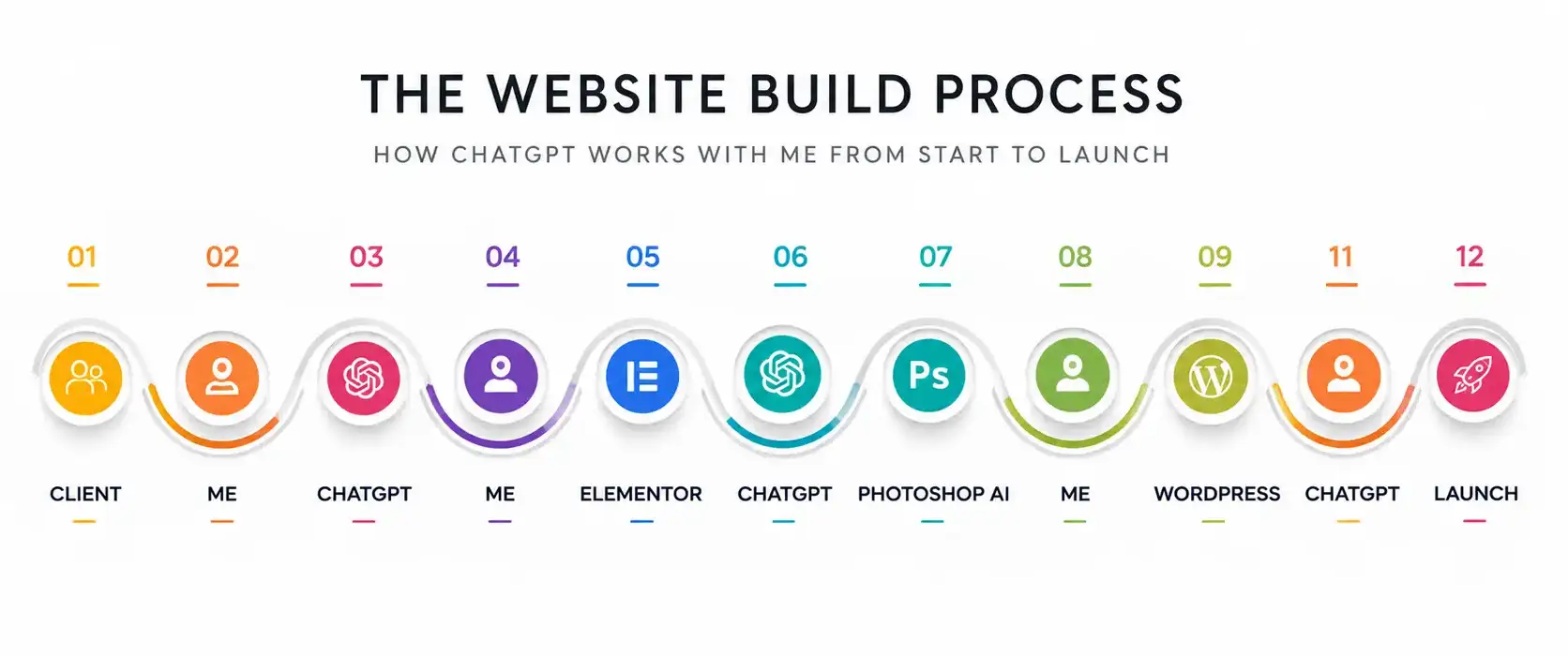
Throughout the project, ChatGPT became whatever specialist I needed next. First it was a researcher. Then an editor. Then a copywriter. Then a technical assistant. Finally, a proofreader. Every time I reached a different stage of the project, it adapted to what I needed next. It organised information, challenged my thinking, highlighted where a design needed more explanation, helped solve technical problems and polished the finished content. Every design decision was still mine. I simply reached those decisions much faster. That’s the kind of attention to detail clients rarely see, but always benefit from.
Final Thoughts
One of the biggest misconceptions about ChatGPT is that it replaces the designer. That has never been my experience. Throughout this project, it became another specialist in my workflow, helping me work faster without taking over the creative decisions. The value isn’t in asking ChatGPT to do your job. It’s in knowing your job well enough to direct ChatGPT through every stage of it.
Rather than replacing web designers, I think it’s changing—and dramatically enhancing—the way experienced designers work. The technology will continue to evolve, but the need for experience, judgement and good decision-making isn’t going anywhere. AI can accelerate the process, but it still takes someone who understands how great websites are planned, designed and built to turn those tools into something that genuinely helps a client.
Looking Ahead
One thing worth remembering is that this workflow will continue to evolve. The AI tools, applications and techniques described here will almost certainly look different in a year’s time, just as they’re different from those available only a year ago. What won’t change is the process. The real value doesn’t come from any single AI tool—it comes from the conversation between human expertise and artificial intelligence. As the technology improves, that collaboration is only likely to become more capable. The tools will change, but the quality of a website will still depend on the judgement guiding those tools.
One Last Question
After finishing this article, I asked ChatGPT one final question: “What do you think of this article and the process it describes?” Its answer was surprisingly close to my own:
“The article doesn’t argue that AI replaces expertise. It argues that expertise becomes more valuable because someone still has to guide the process, judge the output and make the final decisions. AI accelerated almost every stage of the project, but it never decided what the website should become. The conversation between designer and AI is what produced the final result.”
Of course, ChatGPT is designed to be helpful and generally cooperative, so I wouldn’t expect it to harshly criticise the process. My perspective comes from actually building the website. What I found interesting wasn’t that it agreed with me, but how closely its explanation matched what I’d experienced throughout the project.
Continue the Conversation
If you enjoyed this behind-the-scenes look at how I use ChatGPT throughout a real website project, you might also find my related articles useful.

About Sarah Lennon
Sarah Lennon is co-owner and lead designer at Big Orange Planet, a Denver web design and SEO company. For more than 20 years, she has worked across web design, interactive experiences and digital strategy, exploring how design and functionality work together — from ecommerce and property search systems to interactive tools, animation and immersive brand experiences. She now works daily with AI as part of the real-world creative and development process. She writes from that hands-on experience, exploring where AI genuinely improves creative and technical work, where it falls short, and what happens when you actually put these tools to work on live projects.
Get the Good Stuff
No fluff. Just practical web design ideas, SEO insight, behind-the-scenes projects, & solutions we've tested in the real world.
Never Miss a Good Idea
More Big Orange Knowledge
AI Is Moving From Answers to Actions. What Happens Next?
AI is moving from answering questions to taking action. Based on current…
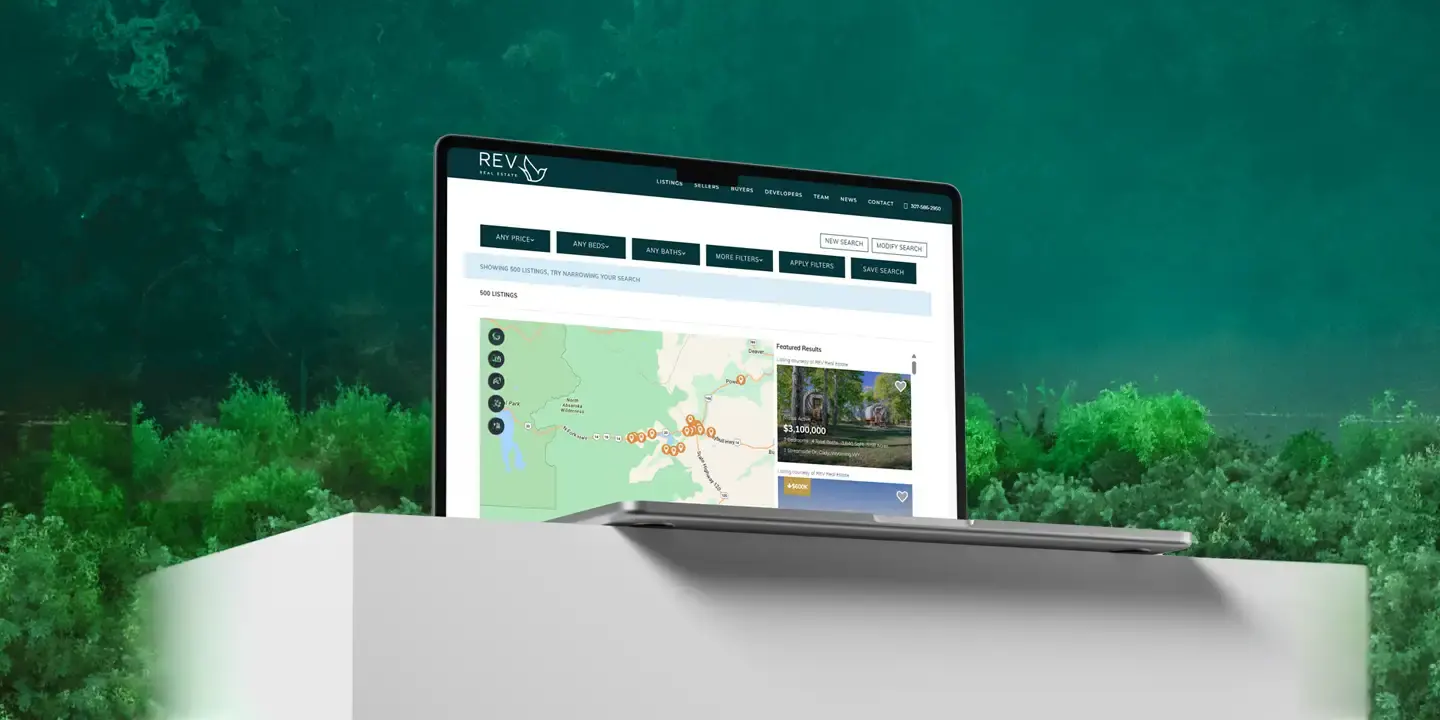
How We Gave an IDX Broker Listings Page a Fully Custom Look
A behind-the-scenes look at how we customized an IDX Broker listings page for…
The Link Is Not the Strategy: Why Manipulated Anchor Text Inside Bad Content Is a Losing SEO Tactic
A link doesn't become legitimate because the anchor text looks natural. When an…
Your Router Says It Has “AI Security” — Do You Still Need a VPN in 2026?
Discover how AI is revolutionizing web design — from smart automation and…
Why Isn’t My Website Getting More Leads?
Getting traffic but not enough leads? We look at why website visitors don't…
Google Algorithm Update 2026: What’s Happening in Search Right Now
Google rankings can move dramatically without signalling a permanent decline.…