
To import compositions from one AE project into another you need to do the following:
See the animation I created by importing many external compositions into one AE project here.
We have two AE projects. Project 1 has a composition I want to open in Project 2.
1. In the project panel select the composition you wish to copy.
2. In project 1 go to File > Dependencies > Collect files.
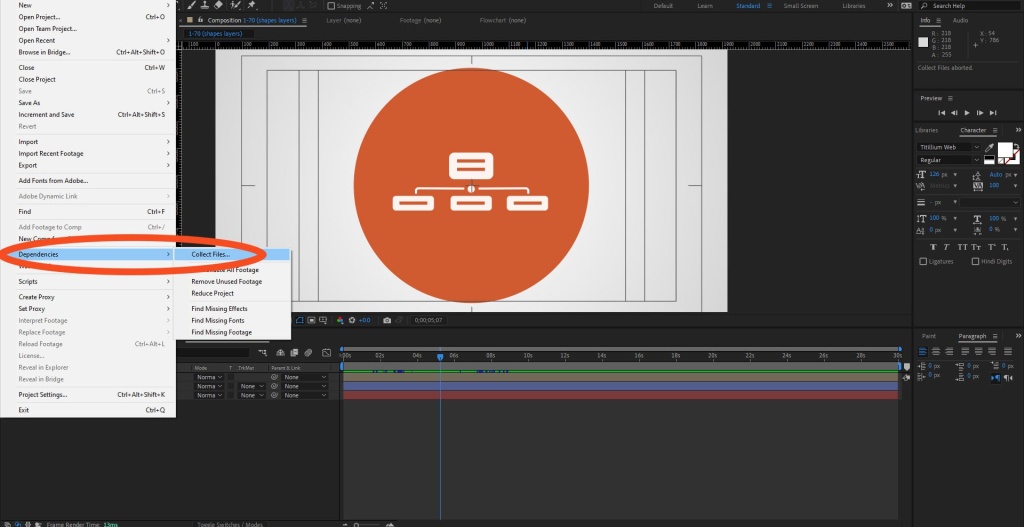
3. In collect files panel make sure “For Select Comps” and “Reduce project” are selected. Hit collect.
4. Choose where to save (I save project 1 in the same folder as project 2 to keep it simple).
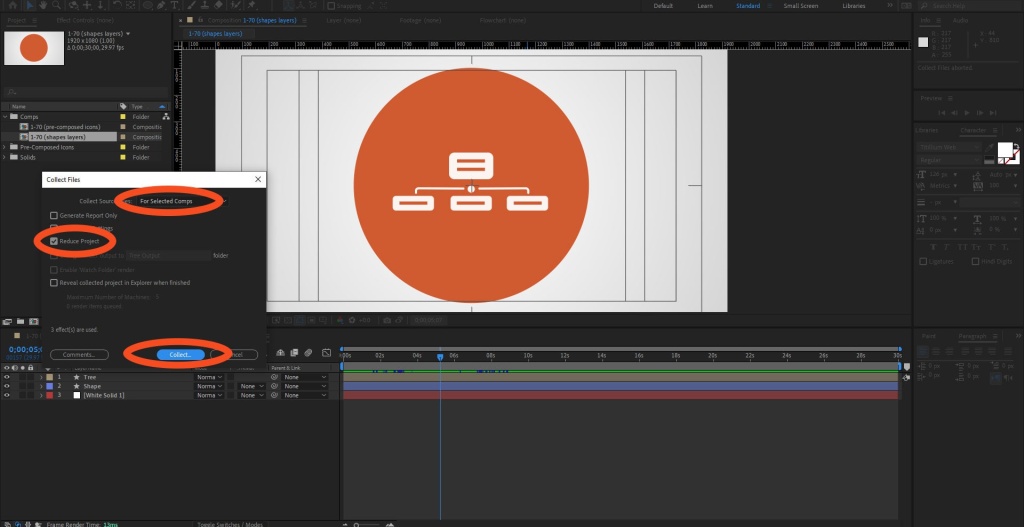
5. Open project 2. Go to File > Open Project. Doing so will automatically close Project 1.
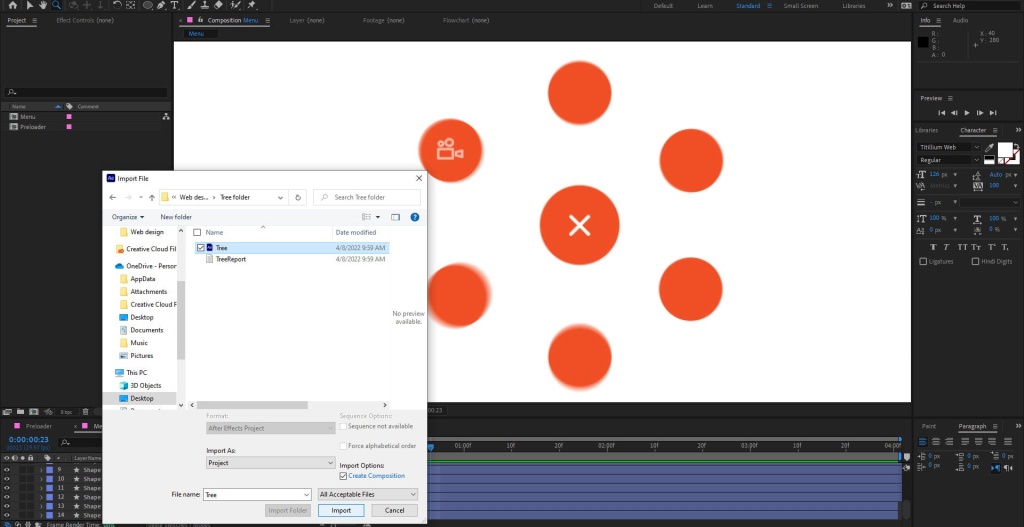
6. Double click in the project panel of project 2, as you would to import any other file. Navigate to Project 1, double click it. Voila, composition from project 1 now available in project panel of project 2. Have fun!
More Big Orange Knowledge

Printing on Merchandise
There are excellent, easy to use web sites that enable you to print all manner…

Getting Your Logo Print-Ready: Why Precise Vector Artwork Matters
Discover how AI is revolutionizing web design — from smart automation and…

Why Most Website Projects Fail Before Anyone Writes Code
Google search results are shifting across industries, keyword clusters, and…

How I Used ChatGPT to Create Website Content From Almost Nothing
A behind-the-scenes look at how I used ChatGPT to create the textual backbone…

What defines a successful logo & why you need one.
A brand begins with a logo- a visual communications synopsis. Our design team…

Tricks using Illustrator files in After Effects
To use Illustrator files successfully in After effects you need to know a few…