
When AI Can Fake Almost Anything, What Can a Watermark Prove?
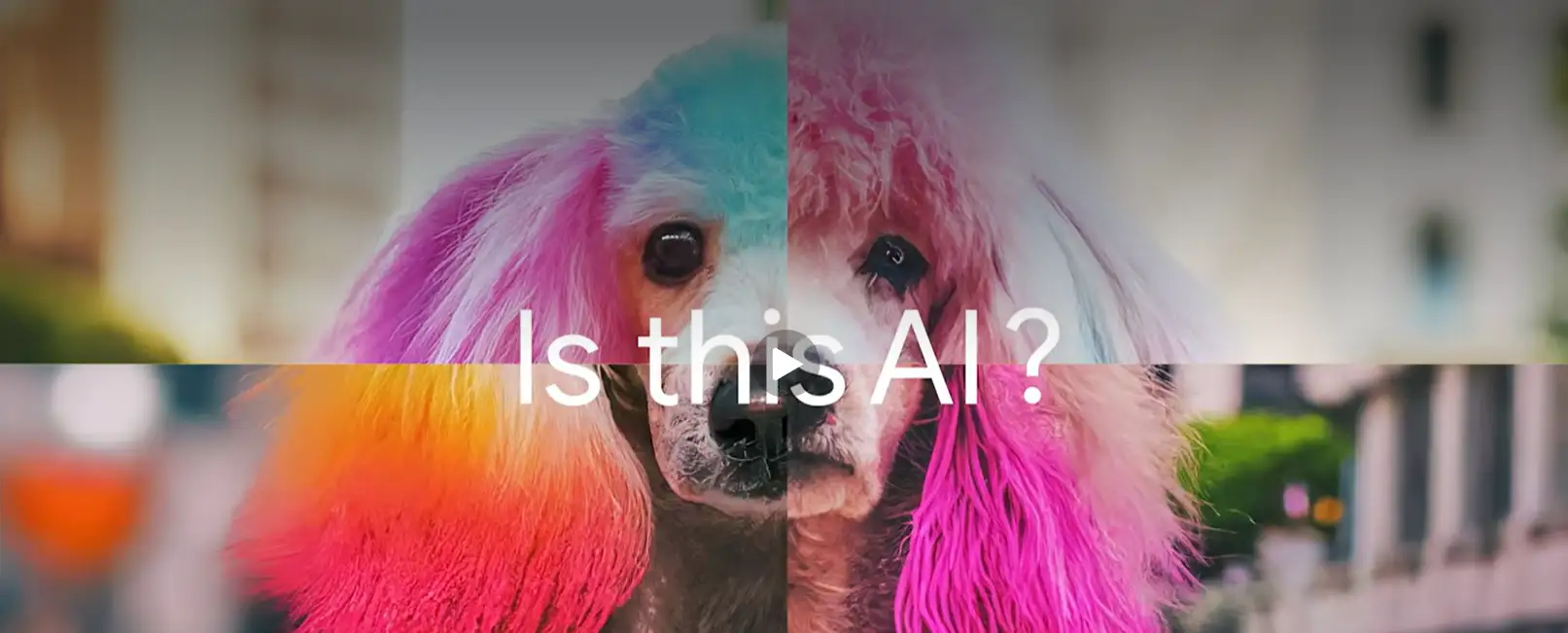
Suppose a photograph turns up in your feed with a caption saying it was taken at yesterday’s protest. Google might be able to tell you that one of its AI tools edited the image. A digital signature might show that an earlier version came from a particular camera. To check the caption, though, you’d still want to know where the image first appeared and whether anybody else photographed the same scene. That distinction is easy to miss when everything from an invisible watermark to a signed edit history gets called “AI detection.” The systems are doing different jobs, and Google is now using more than one of them. Once you know what each is looking for, the results become much easier to interpret.
What Google puts inside an image
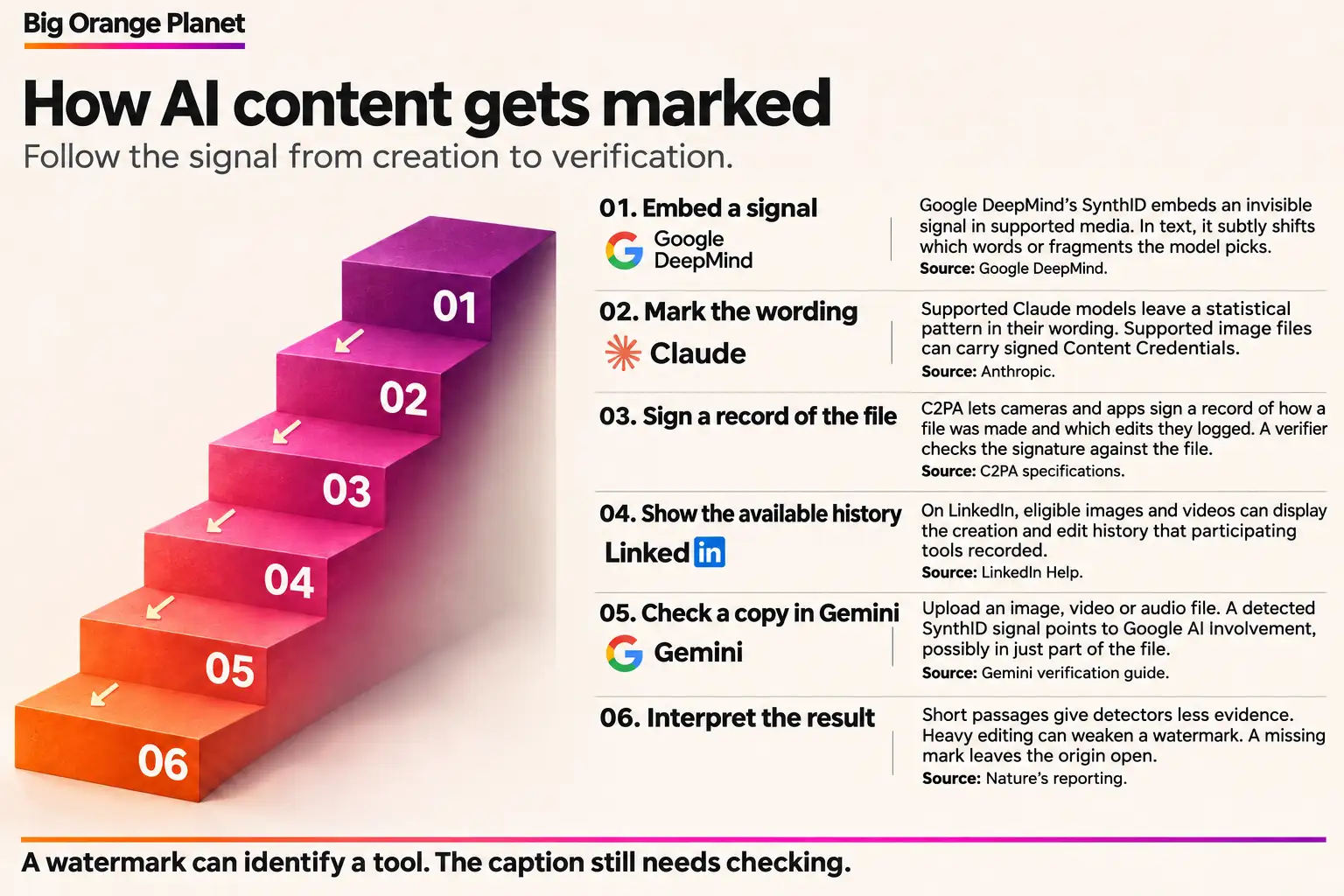
Google DeepMind’s SynthID embeds a signal in the image itself when a supported tool generates it. The signal is designed to survive ordinary changes such as cropping or compression, which is useful because the version you come across online is often a copy that a platform has resized. In audio, the watermark is embedded in the sound and is designed to be inaudible. For video, Gemini can report where in the clip it detected the signal, which is more informative than a label applied to the entire file. Google DeepMind’s SynthID Google’s guide to verifying media in Gemini
If you have a file you’re curious about, you can upload it to Gemini while signed in and ask whether Google AI created or edited it. A positive result can come from a change to just part of an image. That’s worth remembering when a real photograph has had its background replaced. If the result says there’s no detectable mark, the origin is still open. The file could have come from a different generator, and Google also documents cases where a small edit may leave too little signal to detect. Google’s guide to verifying media in Gemini
How do you watermark a paragraph?
Text has no pixels to mark. As a language model writes, it assigns probabilities to the possible next tokens, which are words or pieces of words. SynthID makes small adjustments to those probabilities, favouring some plausible choices over others. Over a long enough passage, a detector can look for the resulting pattern. To the reader, it’s still ordinary text. Copying it into an email carries the pattern along because it’s in the wording itself. A short extract gives the detector less to work with, and substantial rewriting can weaken the signal. Google DeepMind’s SynthID
Anthropic is using a version of Google DeepMind’s approach for supported Claude models. It uses signed Content Credentials for supported image files. The distinction becomes important if someone tries to use a text detector to decide who wrote a paragraph. A detector can estimate whether the passage carries the expected pattern. It has much less to say about a document assembled from several sources and edited by a person. As Nature reported when Anthropic announced the change, researchers were sceptical about how much watermarking could achieve on its own. Anthropic’s explanation of Claude’s text watermark Nature’s reporting on Anthropic’s watermarking
Content Credentials give a file a history
A watermark can give you a clue that a particular tool was involved. Sometimes you want the history of the file itself. The C2PA standard gives a camera, editing app or publishing service a way to attach a digitally signed record to an asset. That record can say how a file was created and describe edits that a participating tool logged. A verifier can check who signed the record and whether it still matches the file. How useful the history is depends on who signed it and how much of the file’s journey was recorded. C2PA technical specifications
Google can surface qualifying C2PA data in About this image in Search. Its current documentation calls for C2PA version 2.1 or later and a signing certificate from a certification authority on the C2PA Trust List. LinkedIn is rolling out a Content Credentials display for images and video that carry the relevant data. In both cases, what the platform can show depends on what came with the media. An older photograph may have no credentials at all, and a signed record can start at export, well after the original was taken. Google Search documentation on image metadata LinkedIn Content Credentials
What happens when a platform strips the metadata?
A platform may keep the picture and discard the attached record. The Content Authenticity Initiative describes a way to recover it. An invisible watermark can carry an identifier that points back to a stored copy of the credentials. Here the watermark has a different purpose from SynthID. It acts as a lookup reference for the image’s history and can be used on a camera photograph too. Fingerprinting offers another way back to that history. Imagine a news outlet registers a photograph, then a cropped copy starts circulating. A system can calculate a fingerprint from the copy’s visual features and look for a close match in its index, even if the copy has no embedded mark. That can help you find the earlier image and read its original caption. It only works when there’s a suitable reference to match against, and a similar image can be mistaken for the same one. Microsoft Research treats these methods as complementary because each can lose information the others may still be able to recover. Content Authenticity Initiative on durable credentials Microsoft Research on media authenticity methods
How I’d check a suspect image
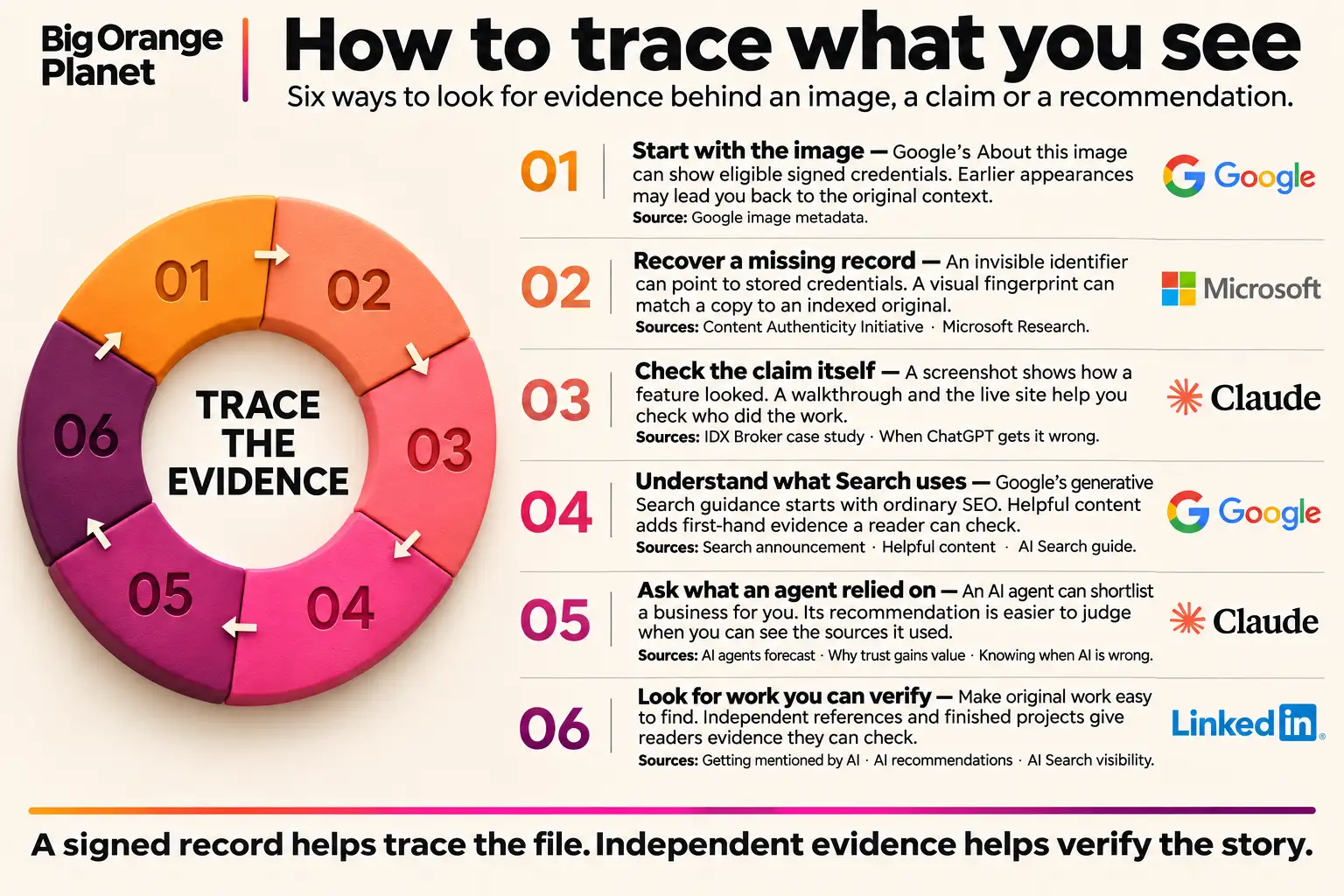
On an image I found through Google, I’d start with About this image and look for earlier appearances and any available credentials. If I had the file and suspected Google AI had edited it, I’d also check it in Gemini. Then I’d read the caption again and ask what it specifically needs me to believe. An earlier copy from another city or another year can settle that question even when the file carries no detectable watermark. The same principle applies to ordinary business claims. In our IDX Broker write-up, a screenshot can show how a property popup looked, while the walkthrough and the client’s live site give a reader a way to check the work described. Our IDX Broker property popup write-up
What this means for Google Search and AI agents
Google’s guidance on appearing in generative Search features still starts with ordinary SEO and helpful content that brings something original to the subject. Its image metadata documentation describes a way to display provenance. Those are separate parts of Search: the first concerns how people find a page, and the second can give them more context once they find an image. As AI agents take on more of the checking for us, I’d want them to explain what they actually found. “An AI tool edited this image” is a useful answer. So is “I found the original caption, and it describes a different event.” A single authenticity badge would hide the difference.
External research
- Google — A new resource for optimizing for generative AI in Search
- Google — Creating helpful, reliable, people-first content
- Google — AI features and your website / AI optimization guide
- C2PA — Technical specifications
- LinkedIn — Content Credentials
- Google DeepMind — SynthID
- Microsoft Research — Media Authenticity Methods in Practice
- Nature — Can Anthropic’s invisible watermarks curb ‘AI slop’? Researchers remain sceptical
- Content Authenticity Initiative — Three Pillars of Provenance
Related reading
- AI Agents: What Happens in 12 Months, 2 Years and 5 Years
- When Information Becomes Cheap, Trust Becomes Valuable
- How to Get Your Business Into AI Search Results
- The Businesses AI Recommends All Have One Thing in Common (And It’s Not a Secret)
- Why Getting Your Business Mentioned By AI Is Harder Than You Think
- AI Is Only as Good as the Person Who Knows When It’s Wrong
- When ChatGPT Lies About Its Own Work
- IDX Broker Property Popup / real project documentation

About Sarah Lennon
Sarah Lennon is co-owner and lead designer at Big Orange Planet, a Denver web design and SEO company. For more than 20 years, she has worked across web design, interactive experiences and digital strategy, exploring how design and functionality work together — from ecommerce and property search systems to interactive tools, animation and immersive brand experiences. She now works daily with AI as part of the real-world creative and development process. She writes from that hands-on experience, exploring where AI genuinely improves creative and technical work, where it falls short, and what happens when you actually put these tools to work on live projects.
Get the Good Stuff
No fluff. Just practical web design ideas, SEO insight, behind-the-scenes projects, & solutions we've tested in the real world.
Never Miss a Good Idea
More Big Orange Knowledge
Do I Need SEO Before, During, or After My Website Is Built?
SEO isn’t something you simply add to a website after it has been built. The…
Why Isn’t My Website Getting More Leads?
Getting traffic but not enough leads? We look at why website visitors don't…
What Business Owners Think SEO Is vs What SEO Actually Is
Many business owners know they need SEO but have a very different idea of what…

Why Doesn’t My Website Rank Even Though It Looks Great?
A great-looking website doesn't automatically rank well in Google. Search…
The New Phishing Attack Doesn’t Look Like Spam — It Looks Like Someone You Know
Phishing isn't always an obvious scam anymore. We recently saw an attack that…
The Difference Between Asking AI a Question and Thinking With AI
Asking AI for an answer is only one way to use it. The more interesting…