
ADA Compliance and Website Accessibility: What Business Owners Actually Need to Know
If you own a business, you’ve probably heard the phrase “ADA compliant website” more than a few times. You may have received an email warning that your website isn’t compliant, seen a popup promising to make your website accessible with the click of a button, or had someone tell you that you could be putting your business at legal risk simply by having a website that isn’t accessible. Like a lot of things in the web industry, however, the reality is considerably more complicated than the sales pitch. Website accessibility matters. It matters to your customers, it matters to the usability of your website, and depending on your business and circumstances, it can have significant legal implications. But accessibility isn’t something you solve by installing a widget, checking a box, running an automated scan once, or putting a “compliant” badge somewhere in the footer and calling the job finished. A good website should be designed and built so that as many people as reasonably possible can actually use it. That sounds obvious, but it is surprisingly easy to build a website that looks fantastic to someone sitting at a desktop computer with a mouse and a perfectly calibrated monitor while being frustrating or even unusable for someone navigating with a keyboard, screen reader, magnification software, voice controls, or another form of assistive technology. That’s where the real conversation about ADA and website accessibility begins, and it’s also one reason I think Denver web design should be thought of as much more than the visual appearance of a website.
What Does ADA Have to Do With a Website?
The Americans with Disabilities Act, commonly known as the ADA, is a federal civil rights law designed to prohibit discrimination against people with disabilities. The law was signed in 1990, long before most businesses had websites, smartphones existed, or anyone was discussing responsive web design, and that history is part of the reason digital accessibility can seem confusing to business owners today. As the internet became a primary way businesses communicate with customers and provide information and services, questions naturally emerged about how existing accessibility requirements should apply to digital experiences. The important takeaway for a business owner isn’t that there is a single magical checklist called “ADA compliance” that every website can pass and then forget about. The more useful way to think about the issue is that if your website is an important way people interact with your business, people with disabilities should not be unnecessarily prevented from using it. That means accessibility needs to be considered as part of the website itself rather than something bolted on after the design and development are finished. It also means the exact legal obligations can depend on the type of business, the services it provides, the laws that apply to it, and the circumstances involved, which is why anyone facing a specific legal question should talk with an attorney rather than relying on a web designer, an automated scanner, or a company selling an accessibility product.
What Does an Accessible Website Actually Mean?
At its simplest, an accessible website is a website that people with different disabilities can navigate, understand, and interact with. That includes people with visual, auditory, physical, speech, cognitive, and neurological disabilities, and it is important to remember that accessibility is not limited to people who use screen readers. Someone may navigate entirely with a keyboard because they cannot use a mouse. Someone else may need larger text or sufficient color contrast because of limited vision. Another visitor may rely on captions because they cannot hear audio, while another may use voice navigation or specialized assistive technology to interact with the page. A website that works beautifully for one person may therefore be extremely difficult for another. This is why accessibility is fundamentally a design and development issue rather than simply a compliance issue. Meaningful image alternative text, properly structured headings, keyboard navigation, readable typography, adequate color contrast, descriptive links, properly labeled forms, accessible buttons, captions for video, logical navigation, and predictable interactions can all make a significant difference. One of the simplest examples is image accessibility. Alt text isn’t simply something you add because an SEO tool tells you an image is missing a field; it helps communicate the meaning or purpose of an image to people who may not be able to see it. And there is an interesting side effect: many of the things that make a website easier for someone with a disability also make the website easier for everyone else. Clear navigation is good for everybody. Descriptive links are good for everybody. Readable text is good for everybody. Captions are useful in noisy environments. Properly labeled forms are useful to anyone who has ever tried to fill one out on a phone. Accessibility isn’t simply about making a website work for a small percentage of visitors. It’s about removing unnecessary barriers from the experience you’re providing to your entire audience.
ADA Compliance Is Not the Same Thing as Installing an Accessibility Widget
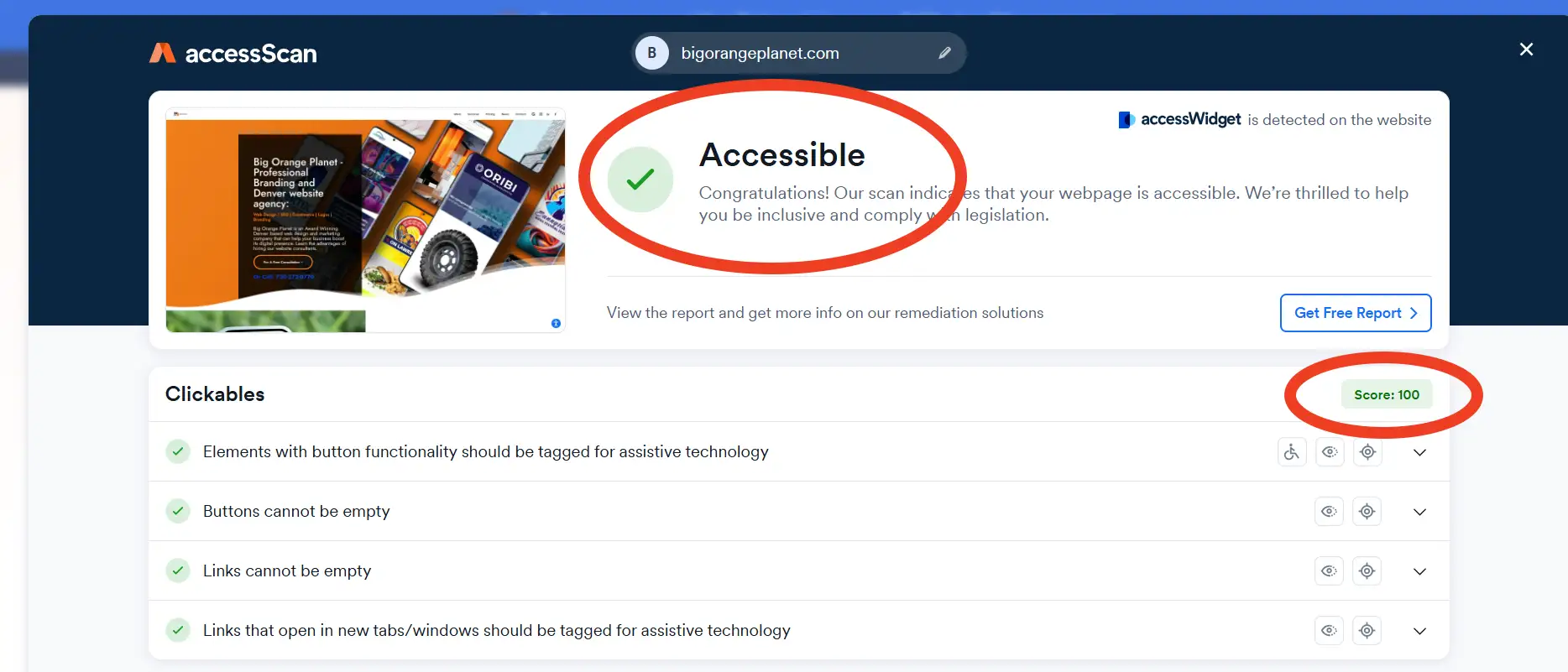
This is one of the biggest misconceptions I see around website accessibility. There are tools that place an accessibility icon on a website and provide visitors with various controls that may change contrast, adjust text size, alter spacing, or provide other interface options. Some of these tools can provide useful functionality for certain visitors, and I’m not suggesting that every accessibility tool is inherently bad. The problem comes when a business is told that installing a widget somehow transforms an inaccessible website into a completely compliant one. If the underlying website has poorly structured HTML, missing or meaningless alternative text, inaccessible forms, buttons that cannot be reached with a keyboard, confusing navigation, improperly implemented menus, inaccessible PDFs, videos without captions, or other underlying problems, putting an interface over the top doesn’t necessarily fix those problems. Accessibility needs to exist in the underlying website. If you were building a physical business and the front door could only be reached by climbing a staircase, putting a sign next to the staircase that said “accessibility options available” wouldn’t be the same thing as actually providing an accessible entrance. The digital equivalent is much the same. Accessibility should be considered in the structure, content, design, and functionality of the website itself, which means the designer, developer, content creator, and business owner can all have a role in creating and maintaining a better experience. It is the same reason I generally prefer fixing problems in the foundation of a website rather than adding another layer of technology to disguise them.
What Is WCAG?
If you’ve researched website accessibility, you’ve probably encountered another acronym: WCAG, or the Web Content Accessibility Guidelines. WCAG is developed through the World Wide Web Consortium’s Web Accessibility Initiative and provides a technical framework for making web content more accessible. The current WCAG 2.2 standard organizes accessibility around four fundamental principles: websites should be perceivable, operable, understandable, and robust. Those words sound technical, but the underlying idea is fairly straightforward. People need to be able to perceive the information being presented, they need to be able to operate the website, they need to be able to understand the content and interface, and the website needs to work with current and future technologies, including assistive technologies. WCAG includes specific success criteria covering things such as keyboard accessibility, color contrast, forms, navigation, multimedia, timing, focus states, headings, labels, and many other aspects of a digital experience. You’ll also see references to different WCAG conformance levels, including Level A, Level AA, and Level AAA. WCAG 2.2 adds additional success criteria beyond WCAG 2.1 and is the current version recommended by W3C for accessibility work, although specific laws and regulations can reference an earlier version. That distinction is important because WCAG is a technical accessibility standard; it isn’t simply another name for the ADA, and achieving a particular technical standard should not automatically be represented as a universal legal guarantee. It also reinforces a larger point about website quality: the technical structure underneath a website matters just as much as what visitors see on the screen. That’s true for accessibility, usability, search engines, and site structure and SEO performance.
So, Does My Website Have to Be ADA Compliant?
This is where I’d be particularly careful about anyone giving you a universal yes-or-no answer without knowing anything about your business. Whether and how the ADA applies to a particular website can depend on the nature of the business, the services it provides, its relationship to customers, applicable federal and state law, and other circumstances. There have also been significant developments in digital accessibility requirements, including specific rules affecting certain organizations and public-facing services. For example, the U.S. Department of Justice has established specific requirements for web content and mobile applications provided by state and local governments under Title II of the ADA. Those regulations use WCAG 2.1 Level A and Level AA as the technical standard, subject to the rule’s provisions and exceptions. The compliance dates began in April 2026 for covered public entities with populations of 50,000 or more, while smaller public entities and special district governments have a later April 2027 compliance date. That does not mean every private business website in America suddenly has an identical legal checklist. It also doesn’t mean a business should ignore accessibility simply because it hasn’t received a complaint. If you’re concerned about your specific legal obligations, particularly if your business has received a demand letter, complaint, or lawsuit, get advice from an attorney who understands disability and digital accessibility law. A web designer can help you build a more accessible website, explain technical issues, and work through implementation, but a web designer is not your attorney and shouldn’t pretend to be one.
Why Should I Care About Accessibility If Nobody Has Complained?
This is actually the more interesting question because you shouldn’t build an accessible website solely because you’re afraid someone might sue you. You should build one because you want your website to work. Your website is supposed to communicate with people. It is supposed to help them understand what you do, find information, contact you, buy something, schedule an appointment, request a quote, or otherwise interact with your business. If a portion of your potential audience can’t reasonably do those things because of how the website was designed or developed, you’ve got a website problem whether you’ve received a legal complaint or not. There is also a very practical business argument for accessibility: the more unnecessary barriers you remove, the more people can use your website. That doesn’t mean every accessibility improvement automatically produces more sales, and I wouldn’t make that promise to a client, but it does mean that making your website easier to navigate and understand is generally aligned with the same principles that make a website effective in the first place. This is where accessibility overlaps heavily with user experience. A website shouldn’t make people work harder than necessary to accomplish something. If a visitor has to hunt through a confusing navigation system, decipher tiny low-contrast text, guess what a button does, or repeatedly fight with a poorly constructed form, the website isn’t doing its job particularly well for anybody. That’s a broader issue I keep coming back to in web design: a website can technically function and still fail to do what the business actually needs it to do.
Accessibility and User Experience Are Closely Connected
I’ve always thought that one of the easiest ways to understand accessibility is to stop thinking about it primarily as a legal checkbox and start thinking about it as a user-experience problem. Imagine landing on a website where the text is tiny, the colors are difficult to distinguish, the navigation is confusing, buttons aren’t obvious, forms don’t explain what information is required, and important information is hidden behind animations or complicated interactions. You don’t need a disability to find that frustrating. Now imagine that you rely on a screen reader, keyboard navigation, voice control, or another assistive technology. Those same design decisions can become much more serious barriers. Good accessibility tends to push designers and developers toward cleaner, more deliberate interfaces. It encourages us to think about hierarchy, structure, labeling, interaction, and clarity instead of simply asking whether something looks good in a design mockup. That’s a good thing. A website can be visually impressive and still be badly designed, which is something I recently explored in Why Your Website Looks Good but Still Doesn’t Work. I’ve seen plenty of websites where the designer clearly spent a lot of time making things look cool but didn’t spend nearly enough time making sure the website actually communicated effectively. A website is not a poster. It’s an interactive system, and good web design has to account for how people actually use that system.
Accessibility Can Also Help With SEO — But Don’t Confuse the Two
There is another misconception worth clearing up: accessibility and SEO are not the same thing, and making a website accessible does not mean Google will automatically rank it higher. There is, however, considerable overlap between good accessibility practices and good search-engine practices because both users and search engines benefit when a website is properly structured and its meaning is clear. Proper headings create structure. Descriptive links provide context. Meaningful alternative text can communicate the purpose of images. Good page organization makes information easier to understand. Clean, semantic HTML can make a site easier for browsers and assistive technologies to interpret. None of that should be done merely as an SEO trick. In fact, that is one of the problems with thinking about SEO as a collection of tricks in the first place. The strongest SEO work usually starts with building something that makes sense. If you want to understand the larger picture, how Google decides which websites rank is a useful way to look at the relationship between relevance, content, structure, links, authority, and the overall quality of a website. When we’re talking about Denver web design, we’re talking about much more than putting a good-looking page on the internet. The website has to communicate the business, make sense to visitors, work across devices, support accessibility, provide a solid technical foundation, load efficiently, establish trust, and ultimately help the business accomplish whatever the website exists to accomplish. Accessibility is one part of that larger picture, just as SEO is one part of the larger process of making a business discoverable.
What Are Some Common Website Accessibility Problems?
There are far too many potential accessibility issues to cover in one article, but some problems appear over and over again. Images are a good example. An image may be visually obvious to someone looking at the screen, but a person using a screen reader needs another way to understand what the image communicates, which is where alternative text comes in. At the same time, “add alt text to every image” is another oversimplification. A decorative image may appropriately have empty alternative text. A photograph that communicates important information needs useful alternative text. A logo may need to identify the organization. A chart may require substantially more contextual information than a simple photograph. Accessibility is about communicating meaning rather than filling in fields because an automated tool says something is missing. Forms are another major issue. A form should identify its fields clearly, provide understandable labels, communicate errors, and be usable without requiring a mouse. Navigation is another. If someone can’t move through the primary navigation using a keyboard, or if focus disappears somewhere inside a complicated menu, the website can become extremely difficult to use. Then there is color contrast. Designers sometimes choose colors because they look great together without considering whether the text can actually be read against the background. A beautiful light-gray font on a white background may look sophisticated in a design presentation, but it may be miserable to read in the real world. These are not isolated “ADA things.” They’re decisions that affect the quality of the website itself, which is why accessibility should be considered alongside the broader technical and structural issues covered in why some website content never ranks.
Automated Accessibility Scanners Are Useful — But They Aren’t Enough
Accessibility testing tools have become extremely useful, and there is absolutely a place for automated testing in a professional website workflow. Automated tools can identify many common issues quickly, including certain missing alternative text, contrast problems, structural issues, missing labels, and other potential failures. That’s valuable because a tool can scan a large website much faster than a person can manually inspect every page. The problem is that automated testing has limitations. A computer can tell you that an image has alternative text, but it can’t always tell you whether that alternative text actually makes sense in context. A scanner can identify that a button has a label, but it may not understand whether that label actually communicates what the button does. A tool can test certain technical conditions, but it can’t completely replace a human being navigating the website and asking whether the experience makes sense. WCAG itself is designed around testable success criteria, but effective accessibility evaluation can involve both automated testing and human evaluation. The tool is part of the process. It isn’t the process. This is the same reason I prefer looking at a website as an entire system rather than chasing individual scores. A page can pass one automated test and still provide a poor experience, just as a website can have excellent PageSpeed numbers and still fail to generate leads. The real question is whether the website works, and that requires looking beyond a single automated score.
What About Accessibility Overlays?
This is another area where I’d encourage business owners to be skeptical of simple solutions. Accessibility overlays and widgets are heavily marketed because they’re easy to demonstrate. Install a script, add an icon, show a few controls, and suddenly the website appears to have an accessibility solution. The problem is that accessibility isn’t primarily an interface layered on top of a website. It is the website. An overlay may provide useful functionality for some users, but it shouldn’t be treated as a substitute for designing and developing the underlying website correctly. If you’re rebuilding a website anyway, it makes far more sense to address accessibility during the design and development process than to build everything first and try to cover the problems afterward. That’s really the same principle we use with almost every important website consideration. Fixing something at the foundation is almost always better than putting a nicer-looking patch over the problem later. The same thinking applies to internal linking, site architecture, performance, content, and SEO: these things work best when they’re part of how the website is built rather than something added at the very end.
What Should a Business Owner Actually Do?
If you’re concerned about accessibility, don’t panic and don’t immediately buy the first “ADA compliance” service that sends you an alarming email. Start by looking at your website as an actual user. Can you navigate the important parts of the site with a keyboard? Can you understand the page structure? Are the headings logical? Can you identify what every button does? Are forms properly labeled? Are important images described appropriately? Does the site have sufficient contrast? Can visitors enlarge text without breaking the layout? Are videos captioned when captions are necessary? Does the site remain usable when animations or other visual effects aren’t available? Can someone using assistive technology understand the important information on the page? Those questions don’t replace a formal accessibility audit, but they’re a much better starting point than simply asking whether you’ve installed an accessibility plugin. If accessibility is a concern for your business, it should also be considered when you’re planning your next website rather than six months after the site launches, because addressing accessibility while the structure, navigation, templates, forms, and content are being developed is generally much easier than trying to retrofit an existing website after the fact. A good launch process should look at these issues alongside mobile responsiveness, forms, analytics, redirects, SEO, performance, security, and the other details that can get overlooked when everyone is simply trying to get the new website live.
Accessibility Should Be Part of the Website Build
This is probably the biggest point I’d take away from the whole subject. Accessibility should not be treated as an optional add-on that gets considered after the design is finished. When accessibility is considered from the beginning, it influences decisions about typography, color, navigation, page structure, forms, images, interactions, responsive behavior, and development. That’s much easier than trying to retrofit everything later. The same principle applies to SEO. It applies to website performance. It applies to content structure. It applies to conversion. The foundation matters. When we build a website at Big Orange Planet, we’re not just talking about choosing colors, fonts, photographs, and a nice-looking homepage. A professional website has to perform a number of jobs simultaneously. It needs to communicate the business, make sense to visitors, work across devices, provide a reasonable experience for people using assistive technologies, support search engines, load efficiently, establish trust, and ultimately help the business accomplish whatever the website exists to accomplish. That’s why good web design is much more than making something look good. The visual design is important, but it’s only one piece of the system. The more complex the website becomes, the more important that underlying structure becomes, because site structure is what turns a collection of individual pages into something that actually works together.
Don’t Chase “Perfect Compliance”
There is one final trap worth avoiding. Business owners sometimes become so focused on the phrase “100% ADA compliant” that they start looking for a magical service that will give them a certificate and make the problem disappear. I’d be cautious about that promise. Websites are living things. Content changes. Plugins change. WordPress updates. New functionality gets added. PDFs get uploaded. Videos get embedded. Forms get replaced. A developer makes a change six months later. Accessibility isn’t something you accomplish once and never think about again. The better goal is to build an accessibility-minded website and maintain it over time. That means establishing good practices during design and development, testing important functionality, reviewing content, monitoring changes, and addressing problems when they’re discovered. If your business has specific legal concerns, get qualified legal advice. If your website has technical accessibility problems, work with someone who understands web development and accessibility. And if somebody tells you that installing a single widget makes every website completely ADA compliant forever, I’d ask a few more questions before handing over the credit card. The same skepticism is useful with SEO. There is rarely one button, one plugin, one score, or one shortcut that suddenly makes a website successful. Strong websites are built from a lot of things working together.
Accessibility Is Good Web Design
Ultimately, I think the conversation around ADA and website accessibility gets unnecessarily complicated because people often approach it from the wrong direction. They start with the fear: Will I get sued? Will Google penalize me? Do I need a widget? Do I need a certificate? What score do I need? Those aren’t necessarily the best questions. Start with the person using the website. Can they get the information they came for? Can they navigate the site? Can they understand the content? Can they complete the action you want them to complete? Can they do those things regardless of how they interact with the web? If the answer is yes, you’re moving in the right direction. Accessibility isn’t just about satisfying a regulation or avoiding a lawsuit. It’s about building a website that doesn’t unnecessarily exclude people, and frankly, that’s what a good website should have been doing all along. If you’re building a new website or rebuilding an existing one, accessibility should be part of the conversation from the beginning, alongside SEO, performance, content strategy, user experience, branding, and conversion. A website is a connected system where the homepage establishes context, service pages explain what the business does, articles answer questions, and internal links help people move through the information. That’s why a website isn’t successful simply because it looks good. It’s successful when people can actually use it.
More Big Orange Knowledge
Why Experience Still Matters in Web Design and SEO
Technology, design trends and Google algorithms constantly change, but…

The 4 different approaches to building a website.
There are now four primary ways to build a website: traditional website…
The New Phishing Attack Doesn’t Look Like Spam — It Looks Like Someone You Know
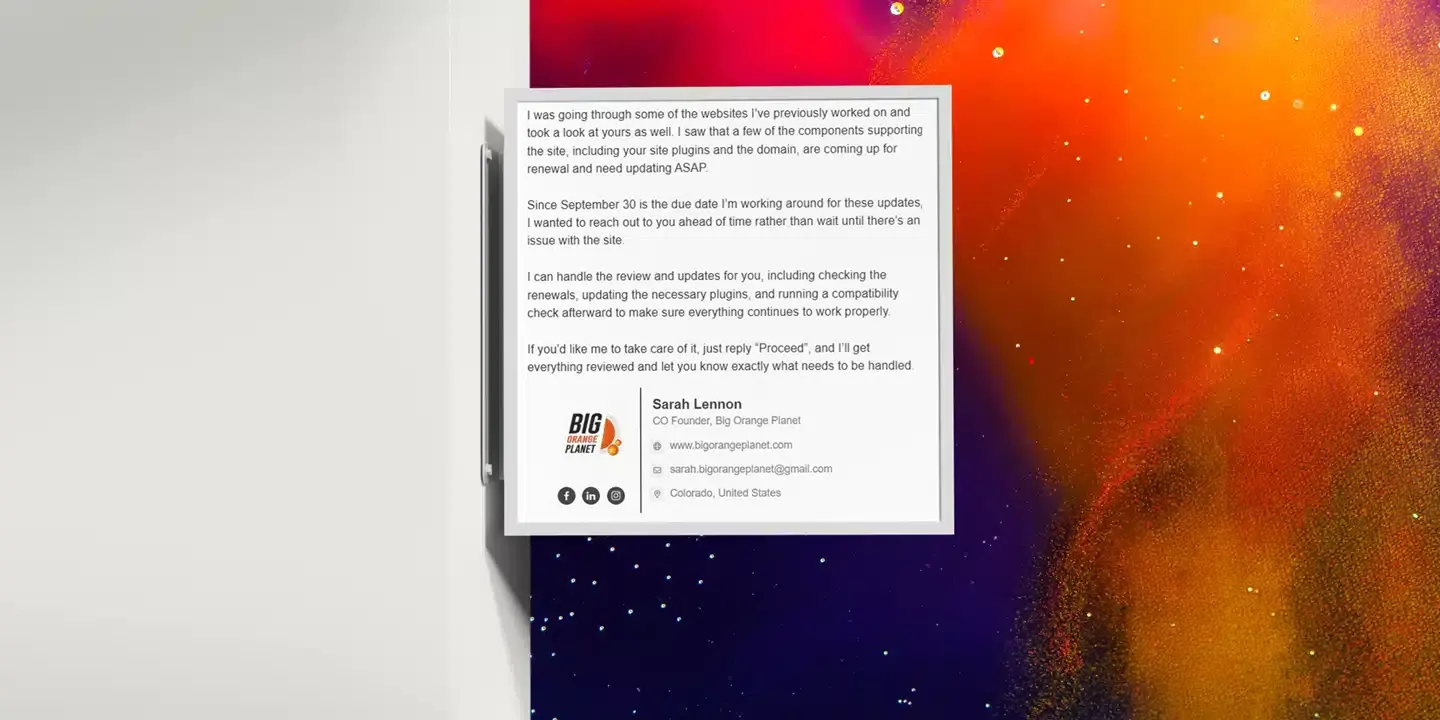
Phishing isn't always an obvious scam anymore. We recently saw an attack that…

What Small Businesses Really Need From a Website
Most small businesses don't need a complicated website. They need one that…

Headless WordPress: When and How to Use It
Headless WordPress refers to a setup where WordPress is used solely as a…

Website Design Expectations – What’s Reasonable And What’s Not?
What should a business reasonably expect from a website company? We look at the…