
To use Illustrator files successfully in After effects you need to know a few tricks.
In Illustrator:
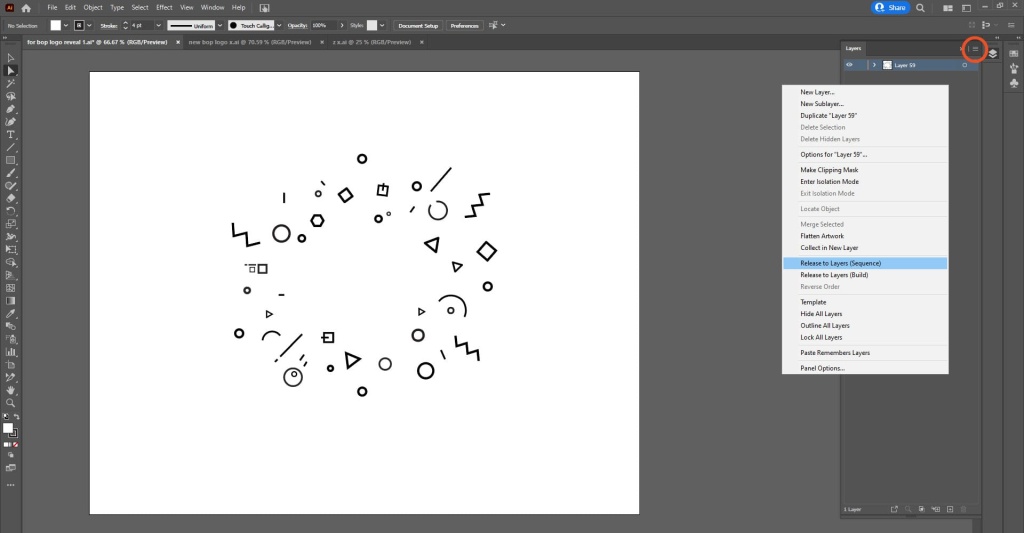
- All objects need to be on separate layers in the Illustrator, otherwise they will open in After Effects as one useless clump that you won’t be able to separate.
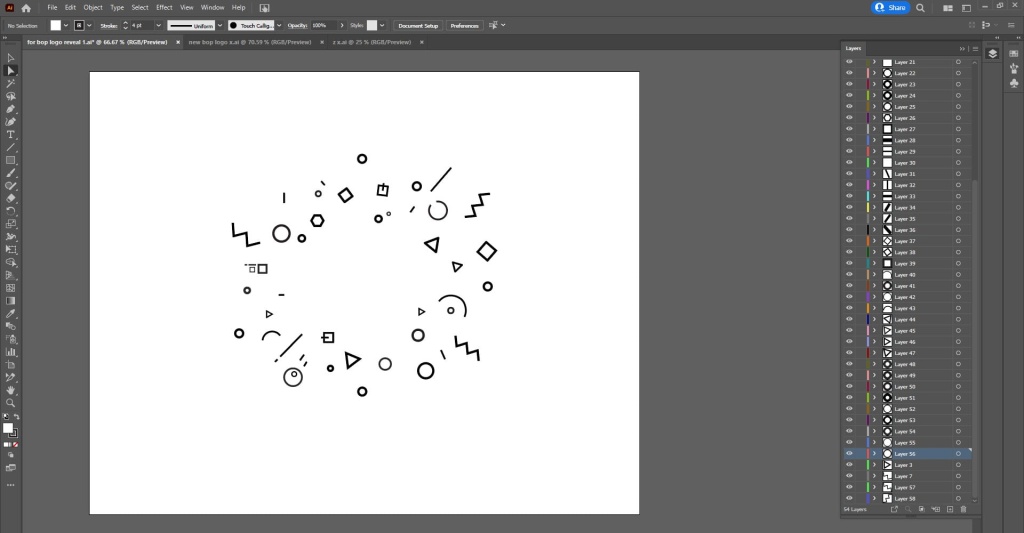
2. To do this select the layer then “Release to Layer sequence”.
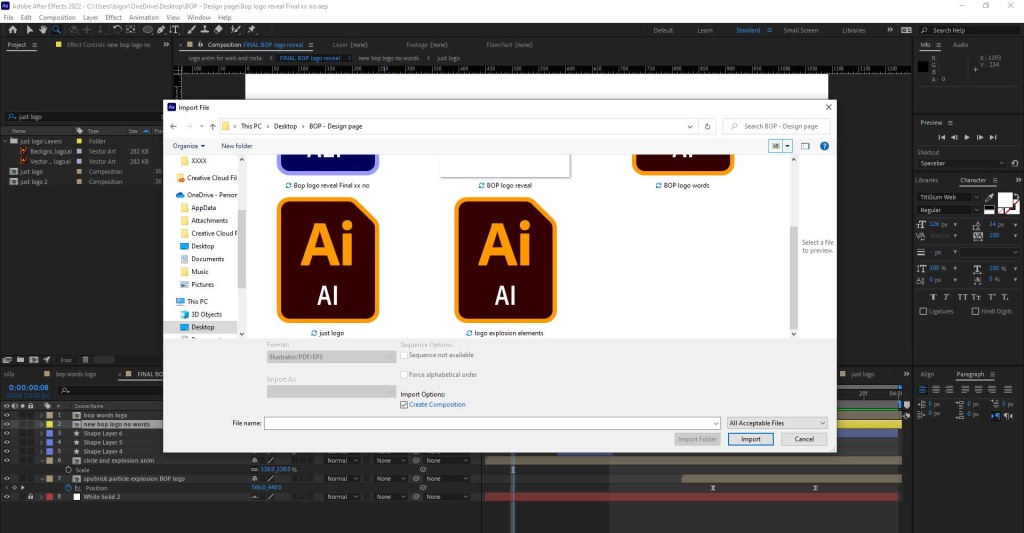
3. Now save the file.
In After Effects:
4. Double click in the gray empty area of the project panel to find the file. Select file and press import.
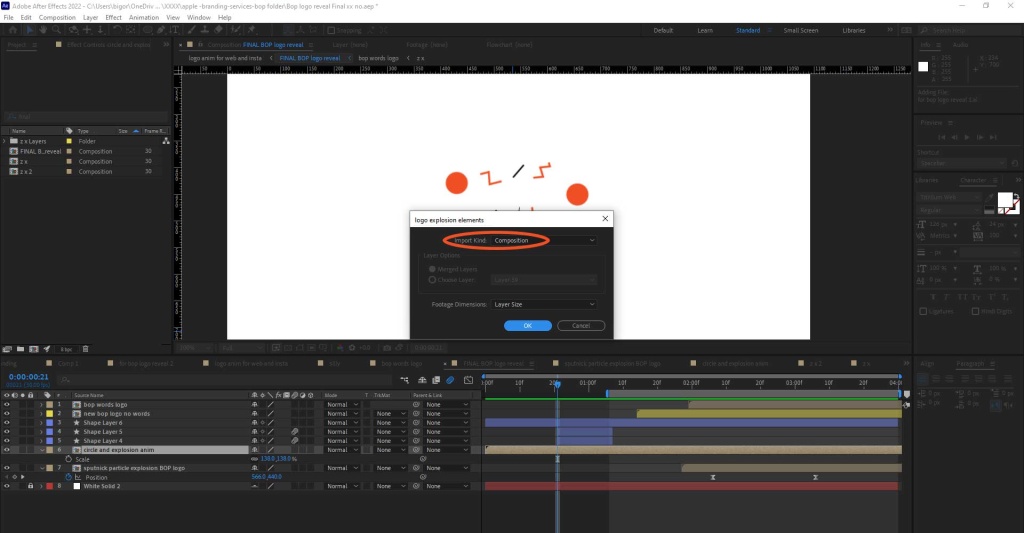
5. For Import Type select “Composition”. Press ok.
6. After Effects will create a composition with the file in it. Double click that composition to go inside it and you will see all your Illustrator layers
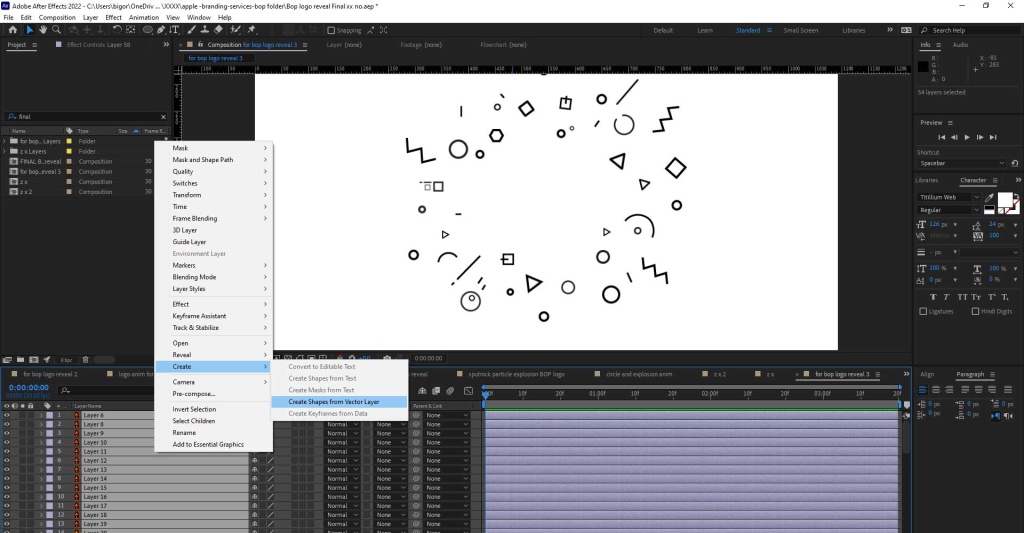
We need to convert these Illustrator layers into After Effects shape layers in order to be able to animate them with cool effects like trim paths. (In this animation for example trim paths are used to animate the zigzag lines in the shape explosion).
7. To do this select all the layers > right click > create >Create shapes from vector layers”. Voila. Note the new shape layers will appear above the old Illustrator layers, you must manually delete the Illustrator layers to leave just new after effects shape layers.
Extra things to bear in mind:
If your original Illustrator file is small, say 800 x 800 pixels, when you import it into After Effects the composition size AE creates will be the same. This could lead to rasterization of this element in your end AE video, because AE is not vector based software like Illustrator.
The simplest way I found around this is just to scale up for file dimensions in Illustrator. To do this I go to File > Document Set up > Edit Art boards. Then you can manually pull the sides of your document to whatever size you want & scale your vector art work to fill it. Then when you import that file into AE it will be beautifully sharp and crisp!
More Big Orange Knowledge

What Makes A Website Feel Expensive?
Some websites instantly feel polished, credible and expensive while others…

Getting Your Logo Print-Ready: Why Precise Vector Artwork Matters
A logo may look perfect on screen, but print is much less forgiving. From…
Importing Compositions from one AE file to another
To import compositions from one AE project into another you need to do the…

How Small Design Details Make Brand Experiences More Memorable
Discover how AI is revolutionizing web design — from smart automation and…

What defines a successful logo & why you need one.
A brand begins with a logo- a visual communications synopsis. Our design team…

Printing on Merchandise
There are excellent, easy to use web sites that enable you to print all manner…