
To import compositions from one AE project into another you need to do the following:
See the animation I created by importing many external compositions into one AE project here.
We have two AE projects. Project 1 has a composition I want to open in Project 2.
1. In the project panel select the composition you wish to copy.
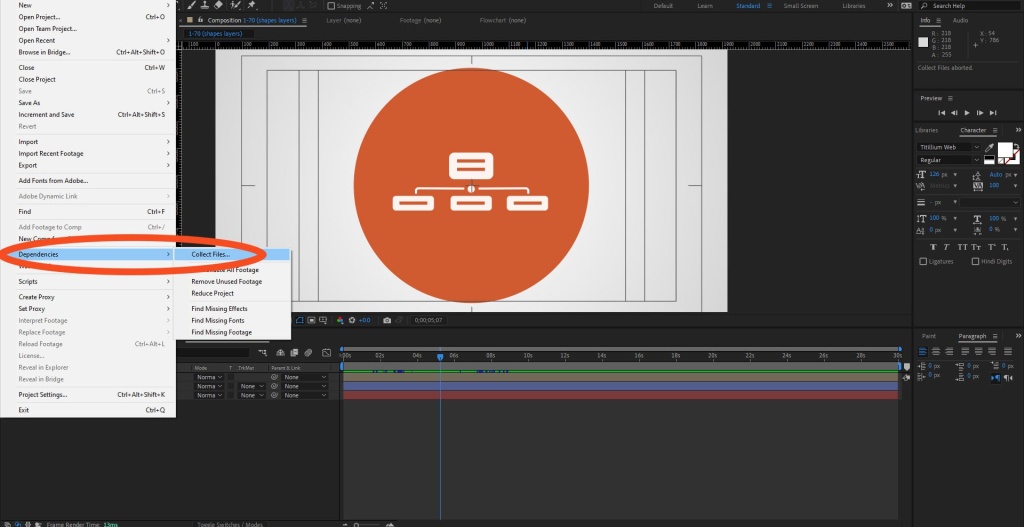
2. In project 1 go to File > Dependencies > Collect files.
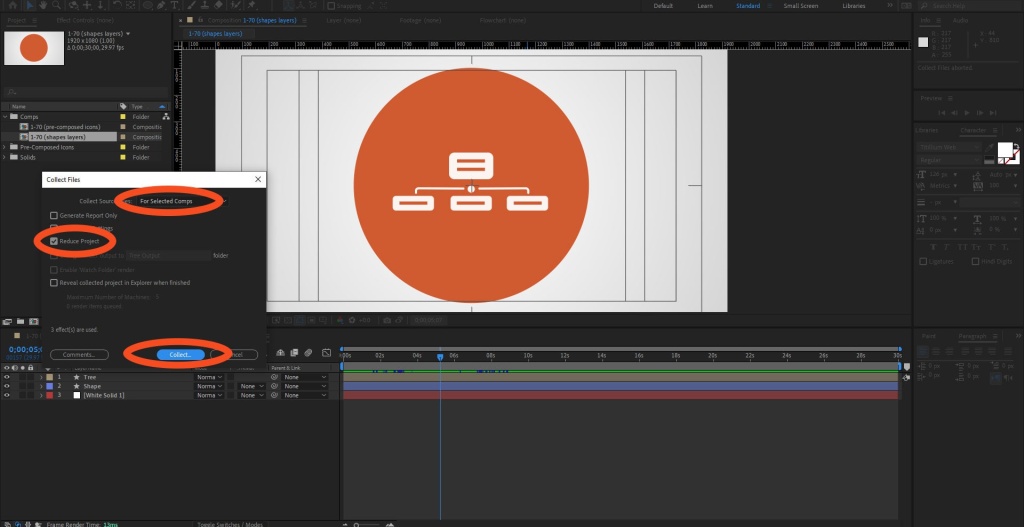
3. In collect files panel make sure “For Select Comps” and “Reduce project” are selected. Hit collect.
4. Choose where to save (I save project 1 in the same folder as project 2 to keep it simple).
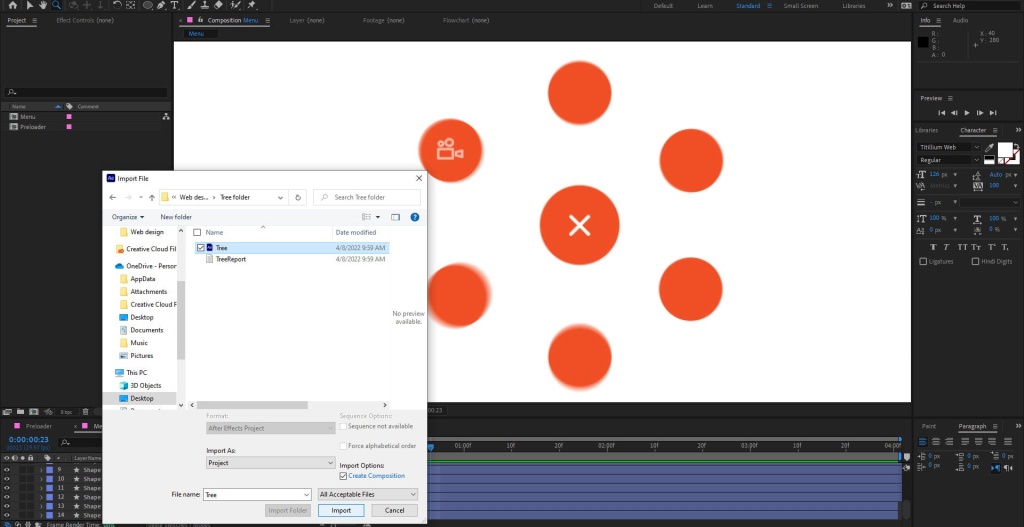
5. Open project 2. Go to File > Open Project. Doing so will automatically close Project 1.
6. Double click in the project panel of project 2, as you would to import any other file. Navigate to Project 1, double click it. Voila, composition from project 1 now available in project panel of project 2. Have fun!
More Big Orange Knowledge

What If Google Understands Your Business Better Than Your Customers Do?
Google is getting better at understanding businesses. But that raises a more…

Tricks using Illustrator files in After Effects
To use Illustrator files successfully in After effects you need to know a few…
AI Is Only as Good as the Person Who Knows When It’s Wrong
The most dangerous AI answer isn't the obviously wrong one. It's the plausible…

Printing on Merchandise
There are excellent, easy to use web sites that enable you to print all manner…

The Difference Between Asking AI a Question and Thinking With AI
Asking AI for an answer is only one way to use it. The more interesting…

Getting Your Logo Print-Ready: Why Precise Vector Artwork Matters
A logo may look perfect on screen, but print is much less forgiving. From…